
Small businesses rely on online accounts for everything from payroll and communication to customer management. Yet each login can become a security risk when employees use weak, reused, or shared passwords. Password managers help businesses securely generate, store, and share strong credentials, making it easier for employees to follow safer password practices.
Weak, reused, and poorly shared passwords can expose small businesses to data breaches, operational disruptions, financial losses, and damaged customer trust. A business password manager helps protect accounts by generating unique credentials, securely storing and sharing passwords, supporting multi-factor authentication, and identifying weak or compromised logins. TenHats helps strengthen cybersecurity with managed security tools, monitoring, awareness training, and compliance support.
The Risks of Weak and Reused Passwords
Password-related security issues can affect businesses of every size. For a small business, a compromised account can result in lost revenue, interrupted operations, data exposure, damaged customer trust, and costly recovery efforts.
Employees often use the same password, or slight variations of it, across multiple business platforms. According to America’s Cyber Defense Agency, 35% of respondents to one survey showed that Gen Z and Millennials lead in using personal details like pet names or family members in their passwords.
A single password may be used for:
- Accounting software
- Cloud storage
- CRMS
- Social media accounts
If that password is exposed in a data breach or phishing attack, cybercriminals may attempt to use it across other accounts. This tactic, known as credential stuffing, can give an attacker access to far more than one login.
Weak password practices also create internal risks. Some employees may:
- Store credentials in unprotected spreadsheets
- Send passwords through email or text messages
- Write them down near their workstations
These habits make it difficult for business owners and IT teams to control who has access to sensitive accounts.
Why Traditional Password Habits Fall Short
Remembering a different strong password for every account is difficult, especially for employees who regularly access dozens of systems. As a result, people often choose passwords that are easy to remember but also easier for attackers to guess.

Even when a business requires employees to update passwords regularly, that policy doesn’t necessarily create stronger security. Employees may simply make small changes to an existing password, such as adding a number or changing a character.
Shared accounts can also become a challenge when multiple people need access but no one is responsible for updating or protecting the credentials.
A password manager addresses these issues by making secure password practices easier to follow. Instead of expecting employees to remember every password, the software securely stores them in an encrypted vault.
How Password Managers Improve Small Business Security
Password managers improve small business security by generating long, unique passwords for every account. Because employees don’t need to memorize these passwords, they can use much stronger credentials than they would typically create on their own.
This approach limits the damage that can occur if one password is compromised. If every account has a unique password, a breach involving one platform does not automatically expose the business’s other systems.
Most password managers also offer autofill capabilities. When employees visit a legitimate login page, the password manager can fill in the saved credentials. This feature can help reduce the likelihood of entering passwords into fraudulent websites designed to imitate trusted brands or business platforms.
Secure password-sharing features are especially valuable for teams. Authorized employees can access shared business accounts without seeing or copying the actual password. When an employee changes roles or leaves the company, an administrator can remove that person’s access without needing to share new credentials manually with the entire team.
Together, these features demonstrate how password managers improve small business security. They reduce password-related risks while making secure access easier for employees to manage.
Features to Look for in a Business Password Manager
Not all password managers offer the same level of business support. Small businesses should look for a solution that includes centralized management tools, rather than relying on individual employee accounts.
Important features include:
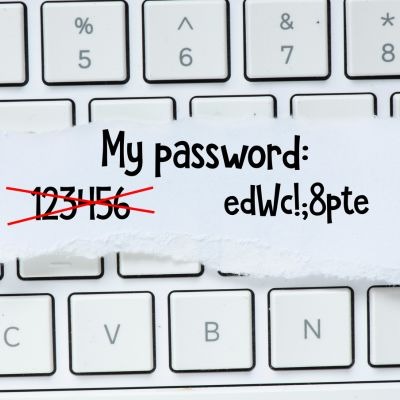
- Password generation tools that create long, random, and unique credentials
- Secure password vaults with encryption
- Multi-factor authentication for added account protection
- Administrative dashboards for managing users and permissions
- Secure credential sharing for teams and departments
- Password health reports that identify weak, reused, or compromised passwords
- Activity monitoring and security alerts
- Account recovery or emergency-access options
A business-focused password manager should also work across major web browsers, mobile devices, and desktop operating systems. Convenient access encourages employees to use the tool consistently rather than bypassing it.
Best Practices for Implementation
A password manager is most effective when it is part of a broader cybersecurity strategy rather than a standalone solution. Small businesses should require employees to use the password manager for all work-related accounts and enable multi-factor authentication whenever possible. Multi-factor authentication adds another layer of protection if a password is compromised.
Businesses should also establish clear password-sharing policies. Employees should never send passwords through:
- Text message
- Collaboration platforms
This is true even when sharing access with trusted coworkers.
Instead, they should use the password manager’s secure sharing tools. Regular access reviews, employee cybersecurity training, and ongoing phishing awareness can further reduce the risk of credential theft and unauthorized account access.
Choose TenHats for Small Business Cybersecurity
A password manager is a practical investment for small businesses that want to protect sensitive accounts without creating extra work for employees. By replacing weak, reused, and poorly shared passwords with secure credential management, businesses can reduce preventable risks and improve their overall cybersecurity posture.
Paired with TenHats’ monitoring and security-awareness services, password management can become part of a more complete defense strategy. We provide managed cybersecurity expertise without the cost of building a large in-house security team. Our services include managed security tools, multi-factor authentication, email filtering, and SIEM monitoring.


